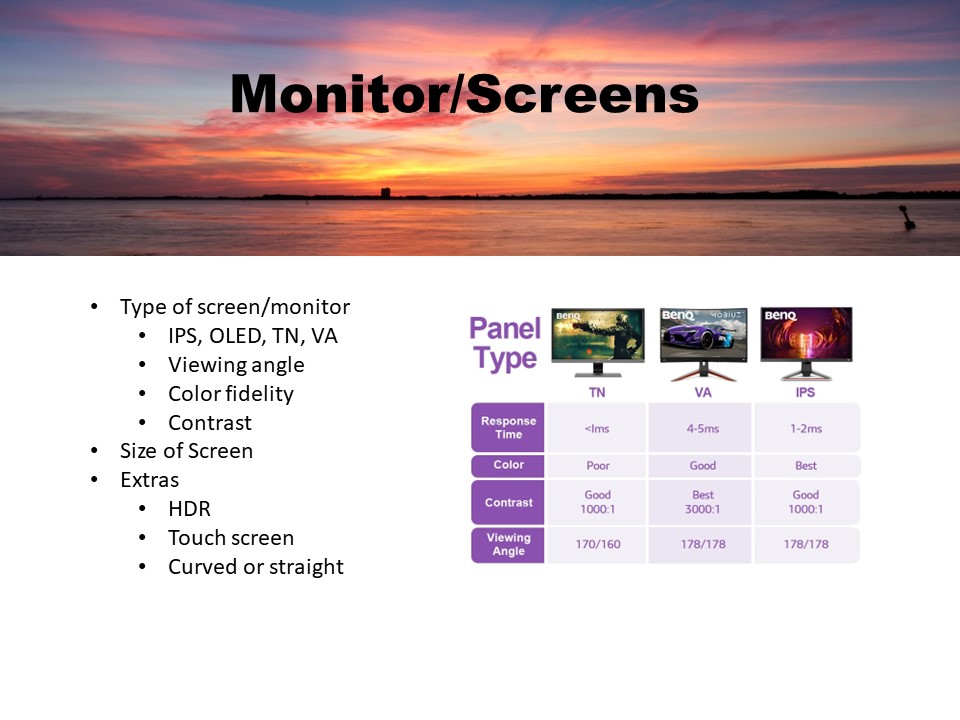
Whether you are using OLED 6K, or HD 720 the difference from what one sees on screen as opposed to what a finished print looks like varies greatly. OLED can be very bright – extremely brite – and cause eye strain and fatigue, even when set to default. I have an OLED TV and on the manufacturers recommendation went into setting s and reduced the amount of brightness to 55%. The same was recommended for my 4K Ultra monitor – same manufacturer. In doing so (reducing brightness), when printing high resolution photos, I was amazed at how close they are to what I see on the screen. Your eyes will also thank you. Also, to watch videos in true 4K I need to use the DVI port or High-Speed HDMI cables due to the increased bandwidth (up to 18 Gbps) which is needed for the newer 4K viewing options. Otherwise, I can only get QHDK (2560×1440). While my motherboard has both HDMI and DVI ports, the best I can get out of it is QHDK, thus I have a video card that produces 4K.
Note: Some of the older DVDs that have been reissued as 4K will do more to show video imperfections than they do to improve the video. However, the audio track is often improved as it is remixed into a 5:1 (front & rear L& R, center speaker and sub-woofer). A good soundbar and subwoofer can produce similar results, save a lot of room and eliminate unsightly cable spaghetti.
Whether you own a TV or monitor, do not forget to (update the firmware). Some TVs and monitors do this automatically – my TV does, my computer monitor does not. Again, I have a 2-year-old (ancient, I know) large screen OLED TV and the firmware has been updated 6 times. After each firmware update, I always recheck my settings (for everything). While the settings should remain the same, I can say from experience that is not always true.


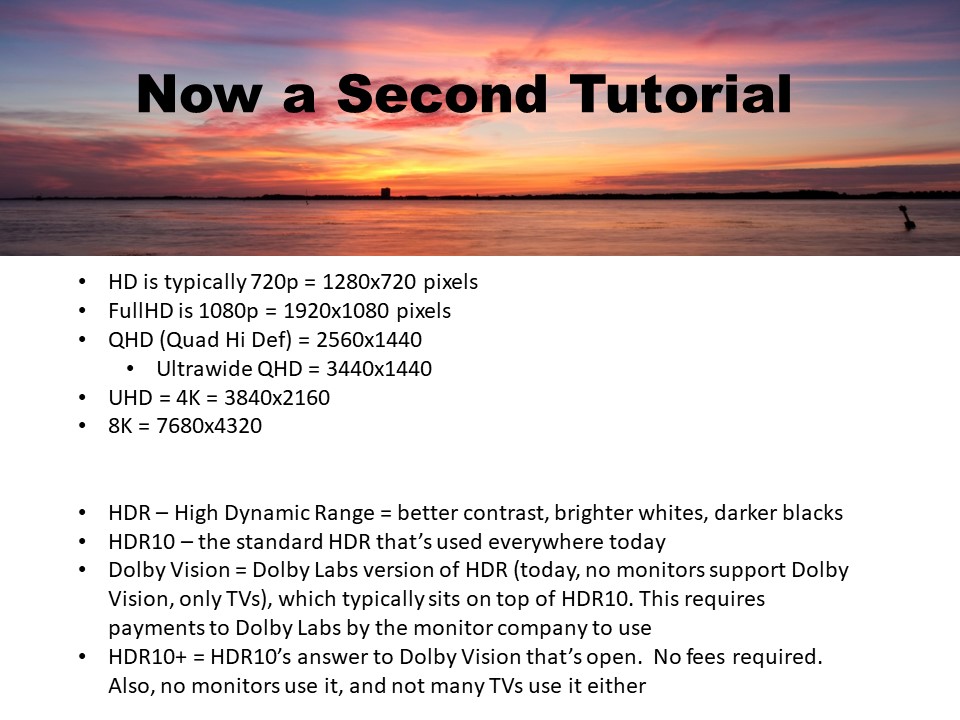



Whether you are using OLED 6K, or HD 720 the difference from what one sees on screen as opposed to what a finished print looks like varies greatly. OLED can be very bright – extremely brite – and cause eye strain and fatigue, even when set to default. I have an OLED TV and on the manufacturers recommendation went into setting s and reduced the amount of brightness to 55%. The same was recommended for my 4K Ultra monitor – same manufacturer. In doing so (reducing brightness), when printing high resolution photos, I was amazed at how close they are to what I see on the screen. Your eyes will also thank you. Also, to watch videos in true 4K I need to use the DVI port or High-Speed HDMI cables due to the increased bandwidth (up to 18 Gbps) which is needed for the newer 4K viewing options. Otherwise, I can only get QHDK (2560×1440). While my motherboard has both HDMI and DVI ports, the best I can get out of it is QHDK, thus I have a video card that produces 4K.
Note: Some of the older DVDs that have been reissued as 4K will do more to show video imperfections than they do to improve the video. However, the audio track is often improved as it is remixed into a 5:1 (front & rear L& R, center speaker and sub-woofer). A good soundbar and subwoofer can produce similar results, save a lot of room and eliminate unsightly cable spaghetti.
Whether you own a TV or monitor, do not forget to (update the firmware). Some TVs and monitors do this automatically – my TV does, my computer monitor does not. Again, I have a 2-year-old (ancient, I know) large screen OLED TV and the firmware has been updated 6 times. After each firmware update, I always recheck my settings (for everything). While the settings should remain the same, I can say from experience that is not always true.